
Запись
Протоколы обследований
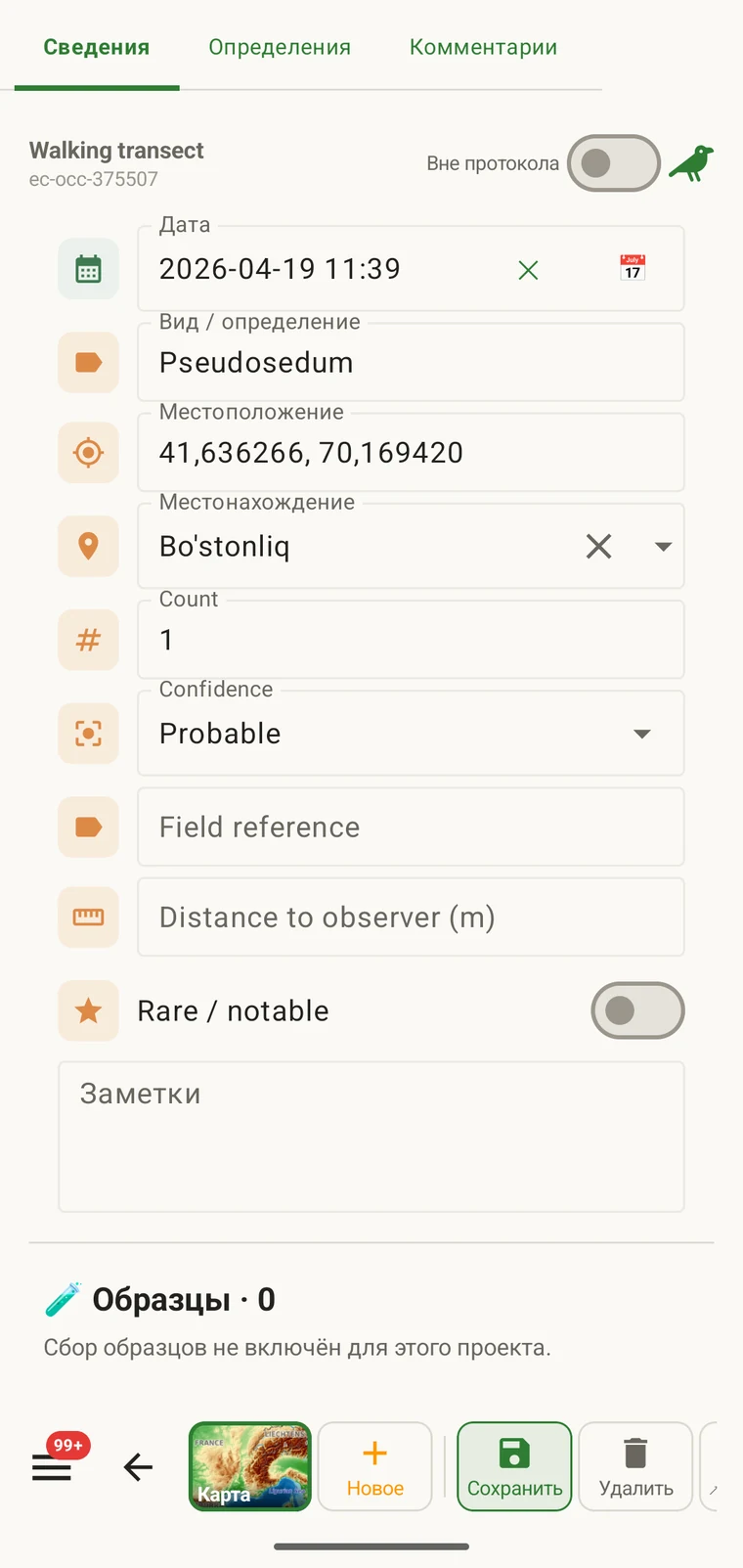
Протокол определяет, что должна содержать запись: какие поля показываются в форме наблюдения, какие из них обязательны, какие используются единицы измерения и списки значений и что считается полным наблюдением. Каждая запись в проекте делается по одному протоколу, который также определяет форму, показываемую тому, кто ведёт запись.
Что задаёт протокол
Протокол задаёт структуру, которая получается при записи. Изменение протокола меняет вместе с ним и форму, поэтому раздел Формы и пользовательские поля и эта страница касаются смежных тем. Страница о формах описывает макет и настройки на уровне полей; эта страница описывает протокол, который вообще определяет, какие поля существуют.
| Что определяет протокол | Влияние на запись |
|---|---|
| Показываемые поля | Набор полей данных, которые появляются в форме наблюдения. Поля, не входящие в протокол, не показываются и не могут быть заполнены. |
| Обязательные поля | Какие поля должны быть заполнены, прежде чем запись можно сохранить. Проверка выполняется при вводе, а не при экспорте. |
| Единицы измерения и списки значений | Единицы измерения, привязанные к числовым полям (метры, градусы, количество), и фиксированные варианты в полях выбора. Они закреплены за протоколом, поэтому все записи в проекте используют один и тот же словарь. |
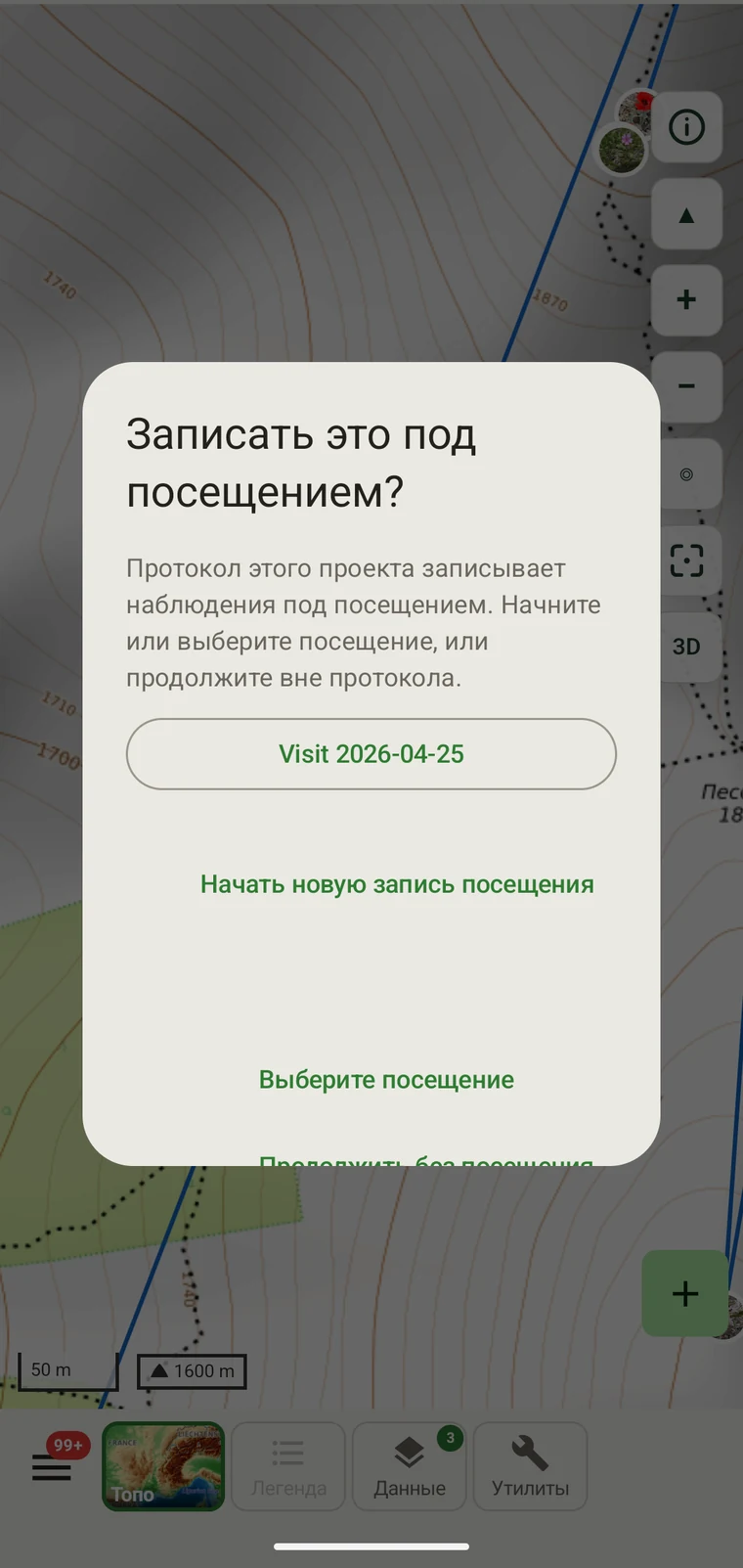
| Группировка записей | How observations are grouped: into survey visits, or left ungrouped as incidental records. The grouping structure determines what the visit prompt shows when you start recording. |
Входящие в комплект протоколы
Seven survey protocols ship with the app: Casual / incidental, Site visit, Timed area search and Walking transect under "Other", and Vegetation — Braun-Blanquet, Vegetation — % cover and Vegetation — Drude relevé under "Vegetation". The project created on first run uses Casual / incidental. A project you create later has no protocol until you assign one; until then new records use the casual protocol's core fields.
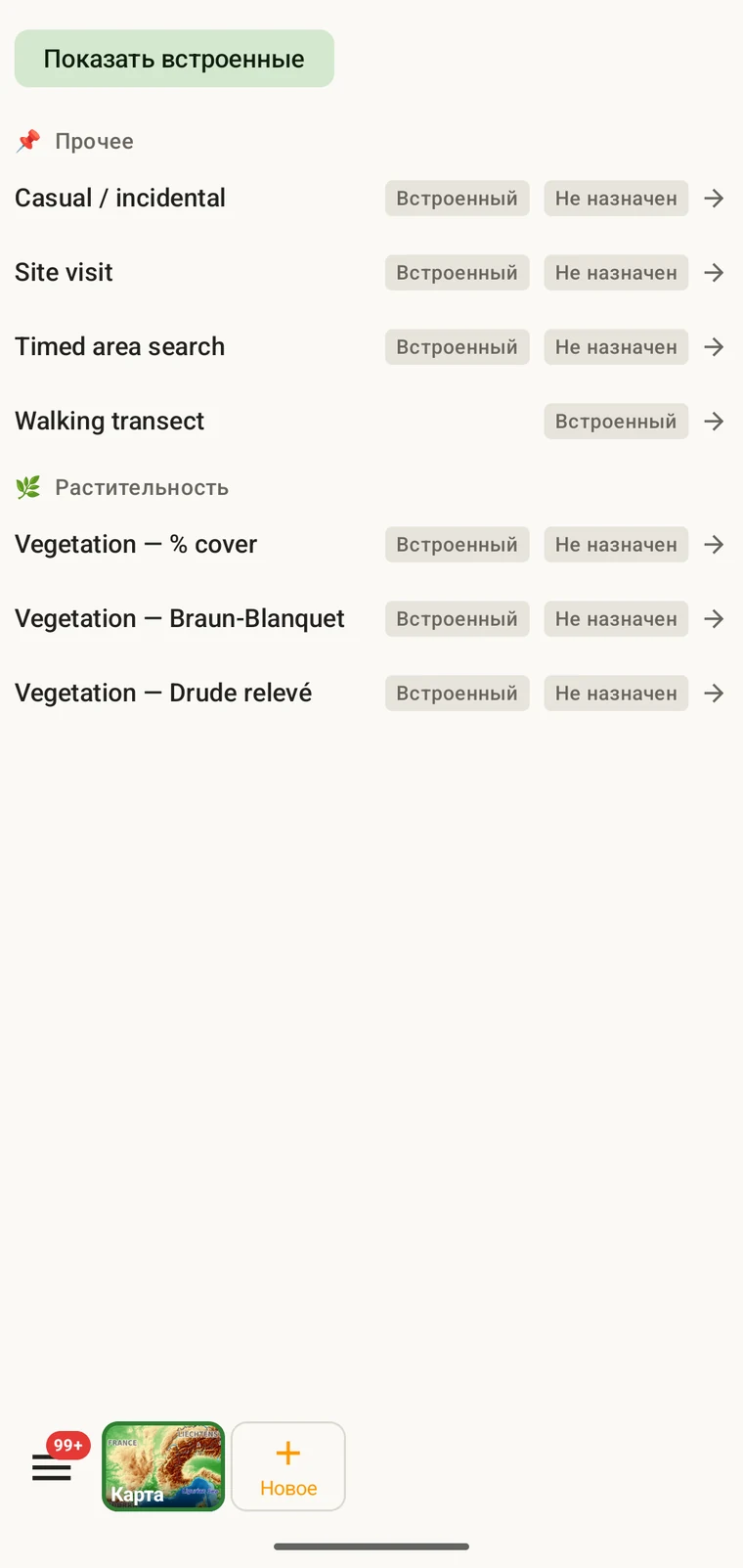
The list on the device is the best place to read each protocol: it shows the full description, the fields it includes and their settings. Open Menu → Protocols and tap a protocol to open it; the Information tab shows its description and settings, the Form builder and Custom fields tabs show its fields.
Выбор протокола для проекта
One project records under one protocol. Your first project starts with Casual / incidental; later projects start with no protocol and use core fields only. Assign the protocol when you know your method, before records are entered.
- Open Menu → Projects and tap the project.
- In the Survey protocol section tap Assign a protocol (or Change if one is assigned).
- Choose the protocol in the Choose a survey protocol list and tap Done. Assigning copies the protocol's full template — forms and custom fields — into the project.
- The observation form reflects the new protocol from the next record onward. Remove keeps your data and the core fields.
Один протокол на проект. Проект определяется единственным протоколом, потому что смешение двух разных структур полей в одном наборе данных затрудняет анализ. Если ваша работа действительно требует двух разных методов, создайте два проекта и экспортируйте их вместе.
Редактирование протокола
The seven built-in protocols are read-only. To adapt one, open it in Menu → Protocols and tap Clone; the copy is a custom protocol you can rename and edit. The practical case is a method close to a standard one that adds two or three measurements: clone, rename, add the fields. That way you keep the structure you know and only change what is different about your method.
Editing a protocol does not alter records already entered. Those records retain the field values they were given at the time. Projects that already use the protocol keep their copy until you tap Push to assigned projects in the Protocols Studio; from then on new records in those projects use the updated definition. To change the layout for one project only, use Customize on the project form instead.
Naming your edited protocol. Give it a name that distinguishes it from the original so that anyone reading the exported data can identify which definition was in use. The protocol code travels with every export.
Создание собственного протокола
The Protocols Studio (Menu → Protocols) is where custom protocols are created — tap New protocol and choose From scratch or Clone existing. A protocol has a name, code, description, group, required fields, effort thresholds and vocabulary sets, plus its own forms and custom fields on the Form builder and Custom fields tabs. The field-level work — captions, data types and whether a field appears in list views — is covered in Forms and custom fields.
Делайте протоколы настолько простыми, насколько того требует метод. Протокол со множеством обязательных полей замедляет запись в поле; протокол вовсе без обязательных полей даёт набор данных, неполнота которого обнаружится только потом.
Проверка данных
Required fields are enforced when the record is entered, not discovered at export. Fields the protocol marks required are enforced when the record is saved: the form lists the missing ones and does not save until they are filled.
Пропущенное значение можно внести, пока вы ещё на участке. Когда экспорт делается спустя месяцы, это уже невозможно. Проверка занимает несколько секунд на запись и предотвращает пробелы, которые потом нечем заполнить.
Поля, не отмеченные как обязательные, можно оставить пустыми. В экспорте они появятся как пустые ячейки, а не вызовут ошибку.
Смена протокола посреди сезона
Протокол, назначенный проекту, можно сменить в течение сезона. Существующие записи сохраняют значения, с которыми были введены; они не проверяются заново по новому протоколу. Набору полей и правилам обязательности нового протокола подчиняются только новые записи, введённые после смены.
Если в новом протоколе есть поля, которых не было в старом, у существующих записей эти поля будут пустыми в экспорте. Если в новом протоколе нет полей, которые были в старом, их значения остаются в базе данных, но не появляются в форме для новых записей.
Зафиксируйте изменение. Отметьте дату смены протокола — в описании проекта или в отдельном файле полевых заметок. Анализ, объединяющий записи до и после смены, должен учитывать разные структуры полей.
Передача протокола
Protocol and form configuration travel together in the project setup file. Open the project, tap Share, and send the .ecsurvey file to each device; importing it (Menu → Projects → Import) gives that device the same protocol, forms and custom fields. Every recorder on the study then sees an identical form and records under the same required-field rules. Exporting the project to Google Drive also publishes the setup, which other devices receive with Download from Drive + merge…. See Forms and custom fields and Google Drive collaboration.