
集成
GBIF 附近物种
The app queries the published GBIF occurrence record around your current position and returns the taxa that have been recorded there, arranged in a taxonomic tree you can expand level by level and download from. It shows which groups are represented, how many distinct species (or higher taxa, at the detail level you choose) each group holds in the published record, and which names belong to those groups, before you start your own recording.
打开它
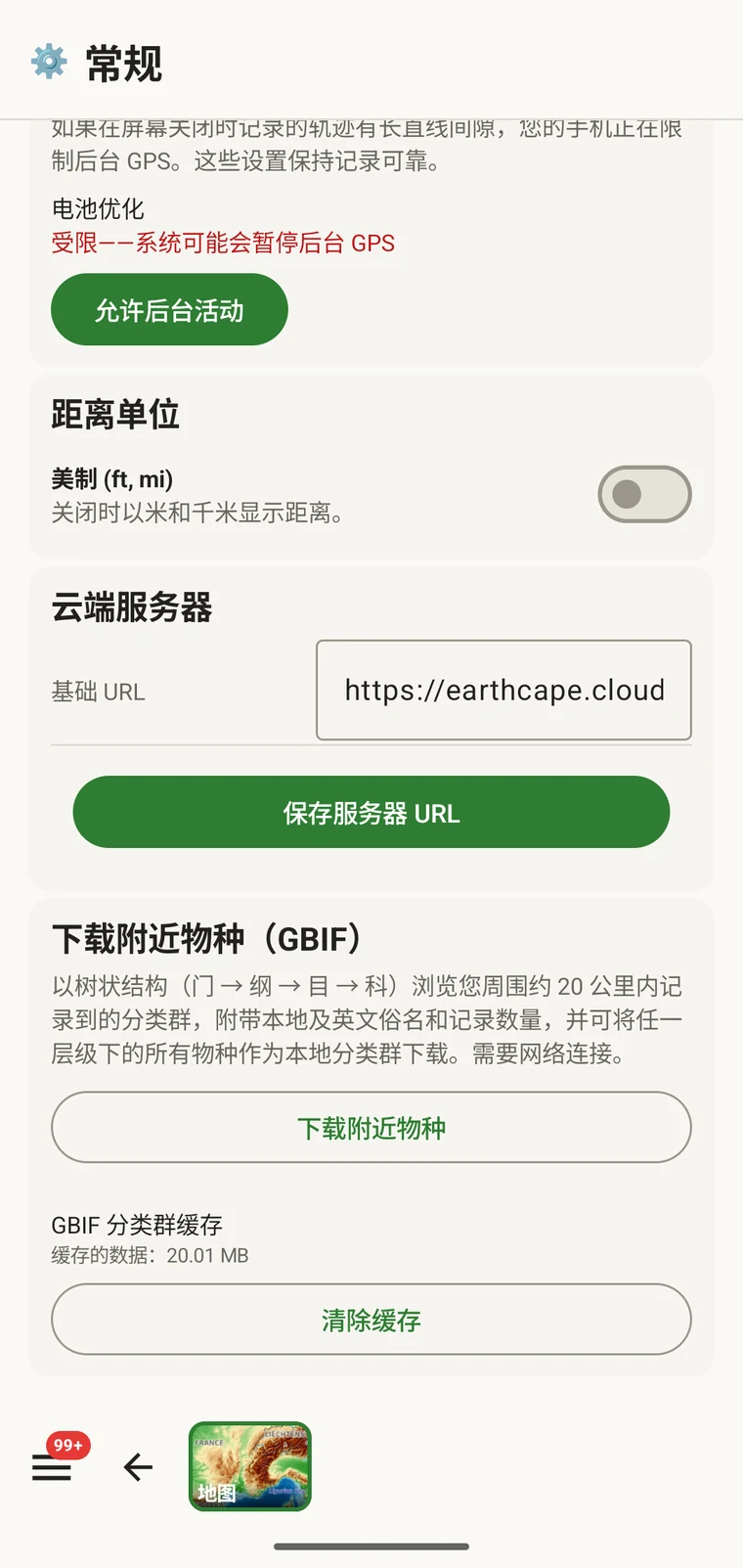
The entry point is the Download nearby species (GBIF) card under Menu → Admin → General; it is also offered during first-run setup. Scroll to the card and tap Download nearby species. The query runs against the live GBIF API, so you need a connection. Run it before you leave for the field, not once you have lost signal.
查询会返回什么
The query looks at GBIF occurrence records within 20 km of your current position and groups them by phylum, giving for each phylum the number of distinct taxa at the chosen detail level (species by default). The sheet shows the top-level summary once Get data has run.
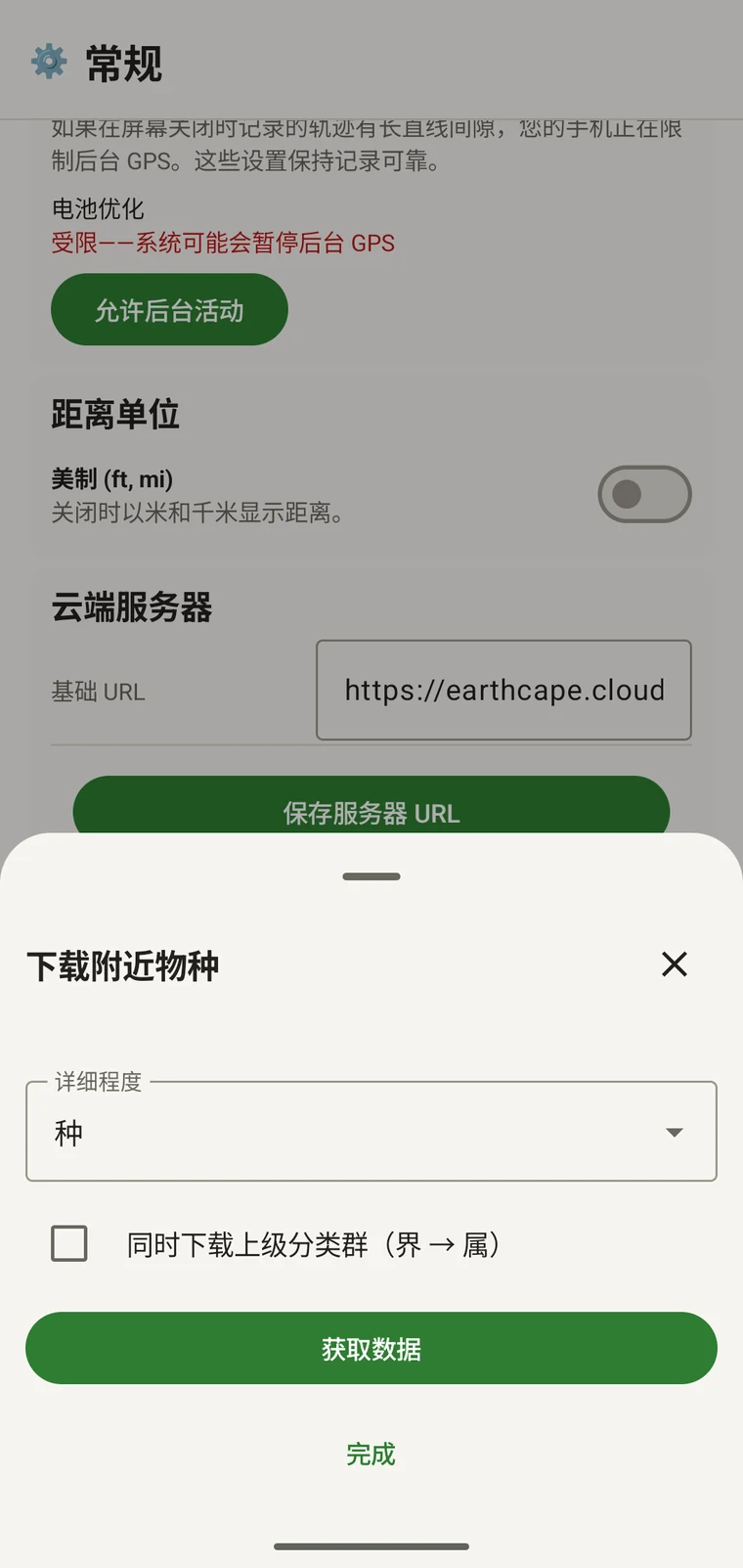
On opening, the sheet shows two controls and two buttons:
- Detail level (Phylum, Class, Order, Family or Species; Species is the default) — sets how far down the taxonomy the download goes when you tick a group.
- Also download parent taxa (kingdom → genus) checkbox — off by default; covered in its own section below.
- Get data — takes a GPS fix and loads the taxonomic tree for the area. Nothing is downloaded yet.
- 完成——关闭该面板。
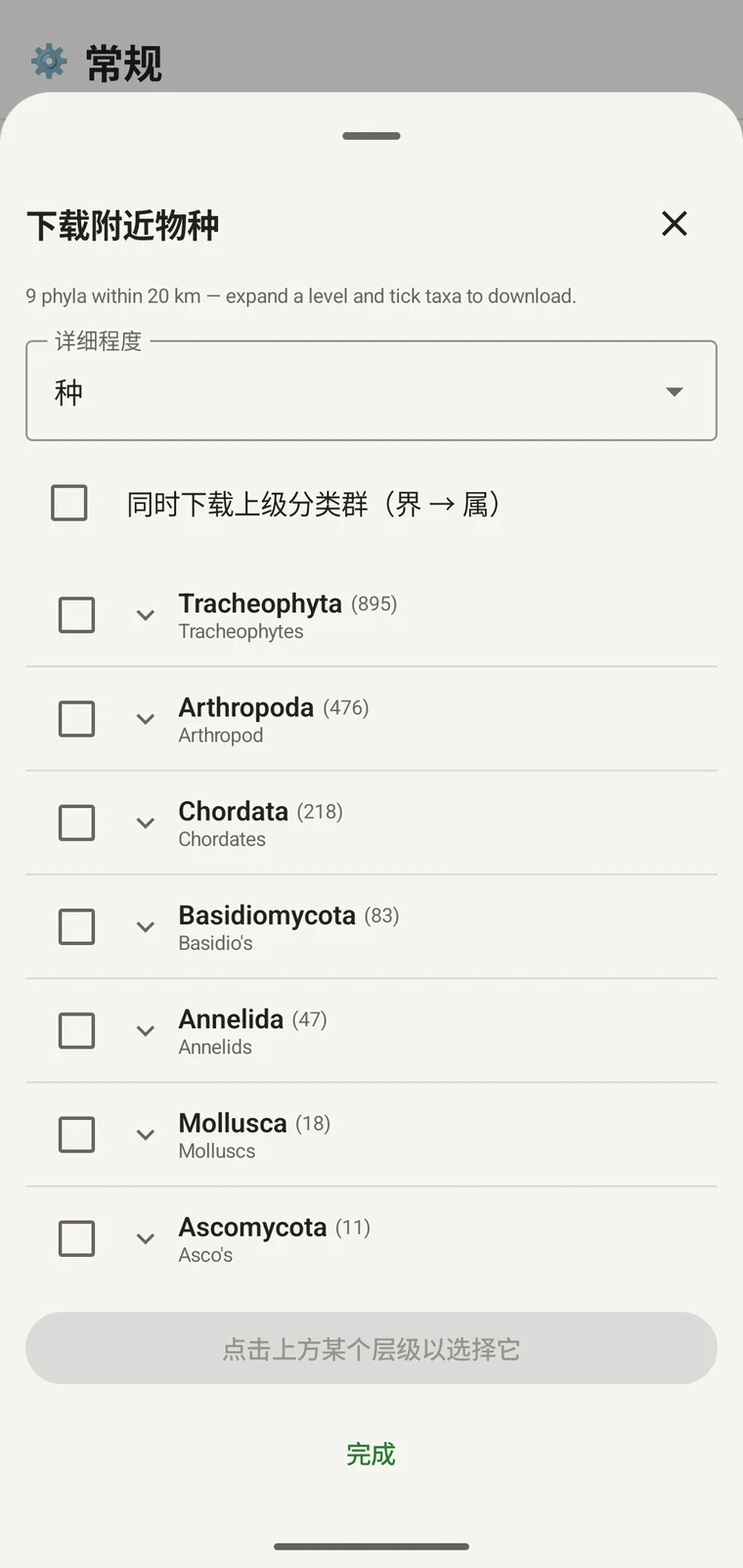
Once the tree has loaded the header reads, for example, "9 phyla within 20 km — expand a level and tick taxa to download.", a Select all row appears above the tree, and a Download N selected button replaces Get data.
下面的示例来自一次山地调查。您自己的样地会返回各自的数字。
| 门 | Species within 20 km |
|---|---|
| Tracheophyta | 895 |
| Arthropoda | 476 |
| Chordata | 218 |
| Basidiomycota | 83 |
| Annelida | 47 |
| Mollusca | 18 |
| Ascomycota | 11 |
逐级深入
Tap a phylum to expand it to its constituent classes, and tap a class to expand to orders. At each level the number in brackets is the count of distinct taxa at the chosen detail level recorded under that group within the search radius. A count shown as 1,000+ has hit the query cap.
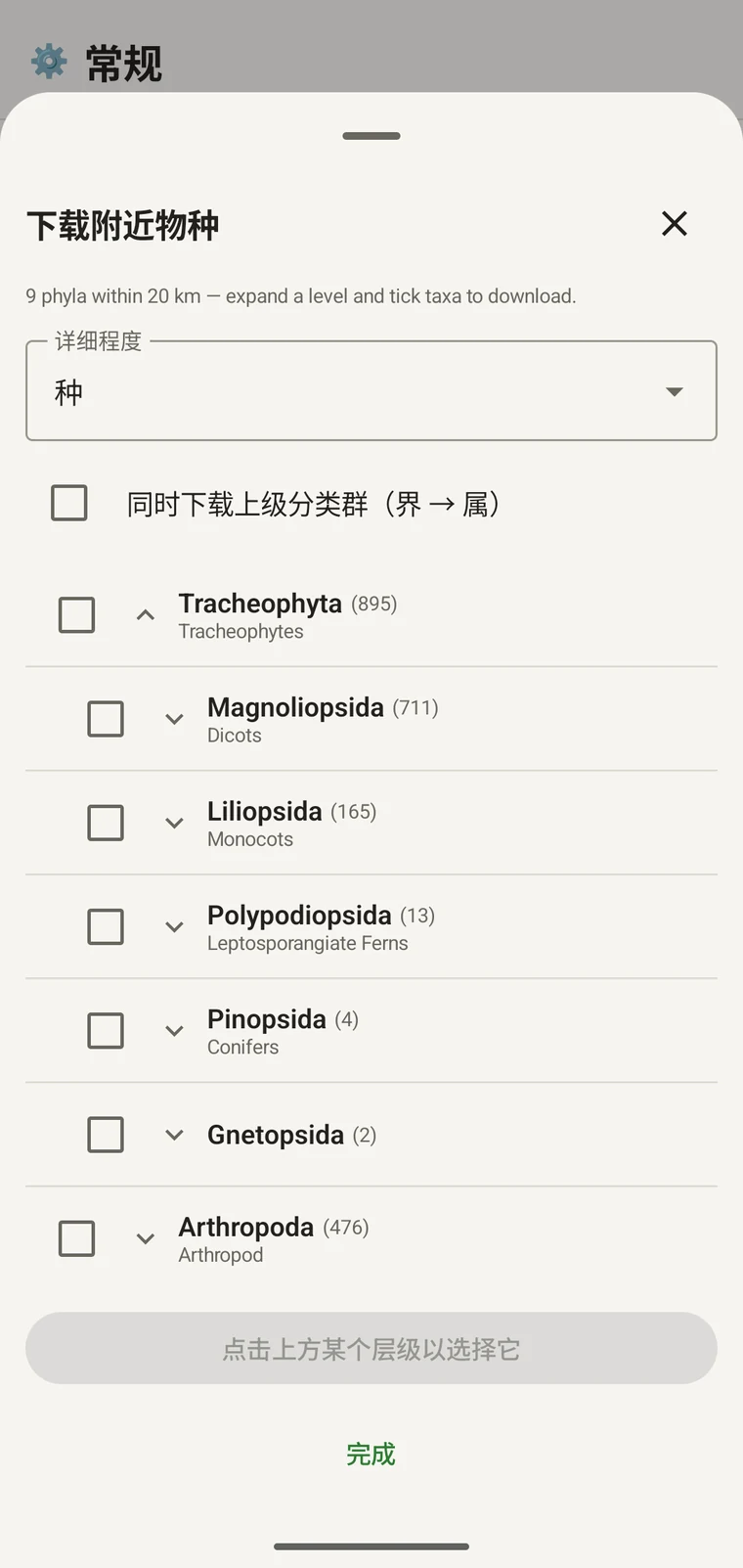
继续同一示例:Tracheophyta 展开为 Magnoliopsida 711、Liliopsida 165、Polypodiopsida 13、Pinopsida 4、Gnetopsida 2。展开 Magnoliopsida 得到 Asterales 115、Lamiales 100、Fabales 93、Rosales 56、Caryophyllales 49,每一项都显示其俗名。
The counts are numbers of distinct taxa in the published record, not record totals and not abundance estimates. A high count means many taxa in that group have been recorded and published for this area; a low count means the group is either genuinely species-poor here or simply under-surveyed and under-published. The distinction matters when you use the figures to plan work — see the section on survey planning below.
详细程度与父级分类单元
The Detail level control sets the rank down to which taxa are downloaded when you tick a group. At Species, the download includes all species in GBIF's record for that group within the radius. If you are working at a coarser resolution — mapping genera only, for example — you can set the detail level to Family, Order, Class or Phylum to reduce the volume of names brought onto the device.
The Also download parent taxa (kingdom → genus) checkbox controls whether the higher ranks are fetched alongside the species. It is off by default; tick it in almost every case. Without it, the species names arrive on the device as orphans: the taxonomy held locally has no genus, family or order to attach them to, so they cannot be browsed by higher taxon and any rollup by group in your own data will not resolve correctly. Leave it off only if storage is genuinely tight and you intend to work entirely at species level with no hierarchical browsing.
把分类单元下载到设备
Nothing is pre-loaded onto the device for any particular site. The GBIF query populates the local taxonomy with GBIF Backbone names known to occur nearby, so when you record an observation you are picking from taxa that have actually been found at the site, rather than searching the full global list — and those names stay on the device once they are downloaded.
- 把详细程度设为与您记录需求相匹配的阶元。默认是物种。
- Tap Get data to load the tree for your position.
- 点按一个门将其展开,然后继续展开到您需要的纲或目。
- 勾选您将要记录的每个类群旁边的复选框。您可以在任意阶元上勾选——勾选一个纲,会下载其下的所有分类单元,直至您设定的详细程度。
- Tick Also download parent taxa unless storage is genuinely tight.
- Tap Download N selected. The app fetches the ticked taxa from GBIF and writes them to the local database in the background; a notification shows progress and you can close the sheet meanwhile.
- 点按完成关闭该面板。
此后,当您在记录观察中录入观察记录时,下载的名称可离线搜索。您是从已知在当地出现的名称中挑选,而不是凭记忆在完整的全球分类系统中输入。
用它来规划调查
在野外季开始之前,对您计划的样地运行该查询,并在下载任何内容之前先读一读门层级的计数。计数的分布会告诉您,在该地区已发布的记录中,哪些类群体现得充分,哪些几乎没有出现。
A phylum with a handful of taxa is either genuinely absent from the site or under-surveyed and under-published there. Both cases are useful to know before a trip: genuine absence tells you where not to spend effort, and a thin published record for a group you expect to be present identifies a gap you can target.
只为您在某次外出中会实际记录的类群下载分类单元。如果您只研究一个门,把整棵树都加载到设备上没有好处;下载会占用时间和您可能没有的连接带宽。
限制
该查询需要与 GBIF API 保持实时连接。它无法离线运行,因此预期的工作流程是在离开有网络的地方之前先运行它。
The search radius is 20 km around your current position. This is fixed by the query; there is no radius control in the app.
这些计数反映的是已发布到 GBIF 的内容。不同地区之间、不同分类类群之间的覆盖并不均衡:西欧的脊椎动物通常体现得很充分;中亚的无脊椎动物和真菌则不然。计数低说明的是该类群与该地点这一组合的已发布记录情况,而不是对该样地本身的直接判断。解读这些数字时请记住这一点。
无法从应用向 GBIF 发布。该集成是只读的:您查询已有记录并下载分类单元名称。要把您自己的数据贡献给 GBIF,请从应用导出 Darwin Core Archive 或 GBIF DwC-DP 文件,并通过标准的 GBIF 途径提交——可用的文件格式参见导出格式。