
记录
调查协议
协议规定一条记录必须包含什么:观察表单上显示哪些字段、其中哪些是必填的、单位和取值列表,以及怎样才算一条完整的观察记录。项目中的每条记录都是在某一个协议下产生的,该协议同时决定了呈现给记录者的表单。
协议控制什么
协议定义了记录工作所产生的结构。更改协议也会随之更改表单,这正是表单与自定义字段与本页面内容相关的原因。表单页面介绍布局和字段级控制;本页面介绍决定这些字段最初从何而来的协议。
| 协议定义的内容 | 对记录的影响 |
|---|---|
| 呈现的字段 | 出现在观察表单上的数据字段集合。协议未包含的字段不会出现,也无法填写。 |
| 必填字段 | 记录保存之前必须填写哪些字段。校验在录入时进行,而不是在导出时。 |
| 单位与取值列表 | 数值字段所带的单位(米、度、计数),以及选择字段中显示的固定选项。它们按协议固定,因此项目中的所有记录使用同一套词表。 |
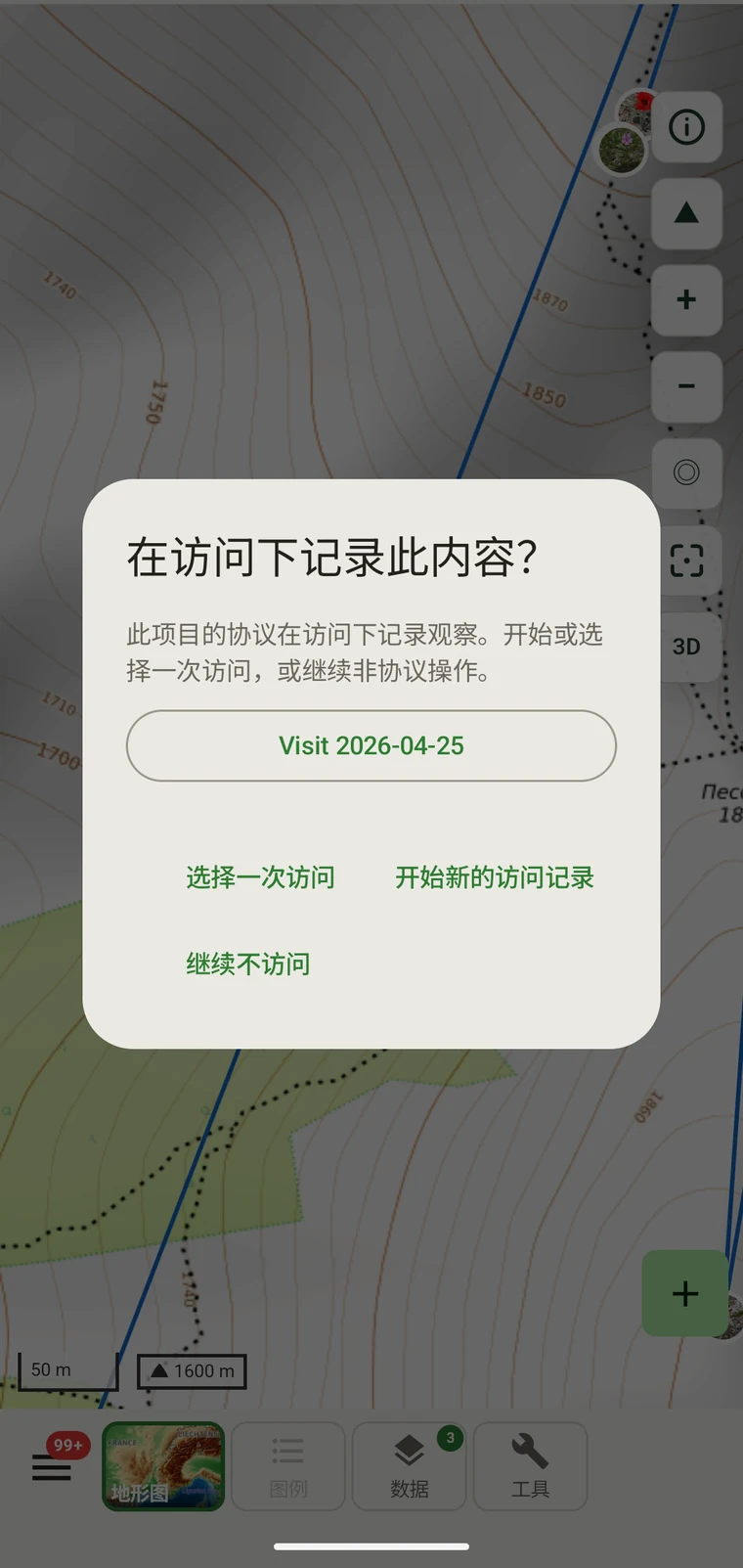
| 记录的分组 | How observations are grouped: into survey visits, or left ungrouped as incidental records. The grouping structure determines what the visit prompt shows when you start recording. |
内置的协议
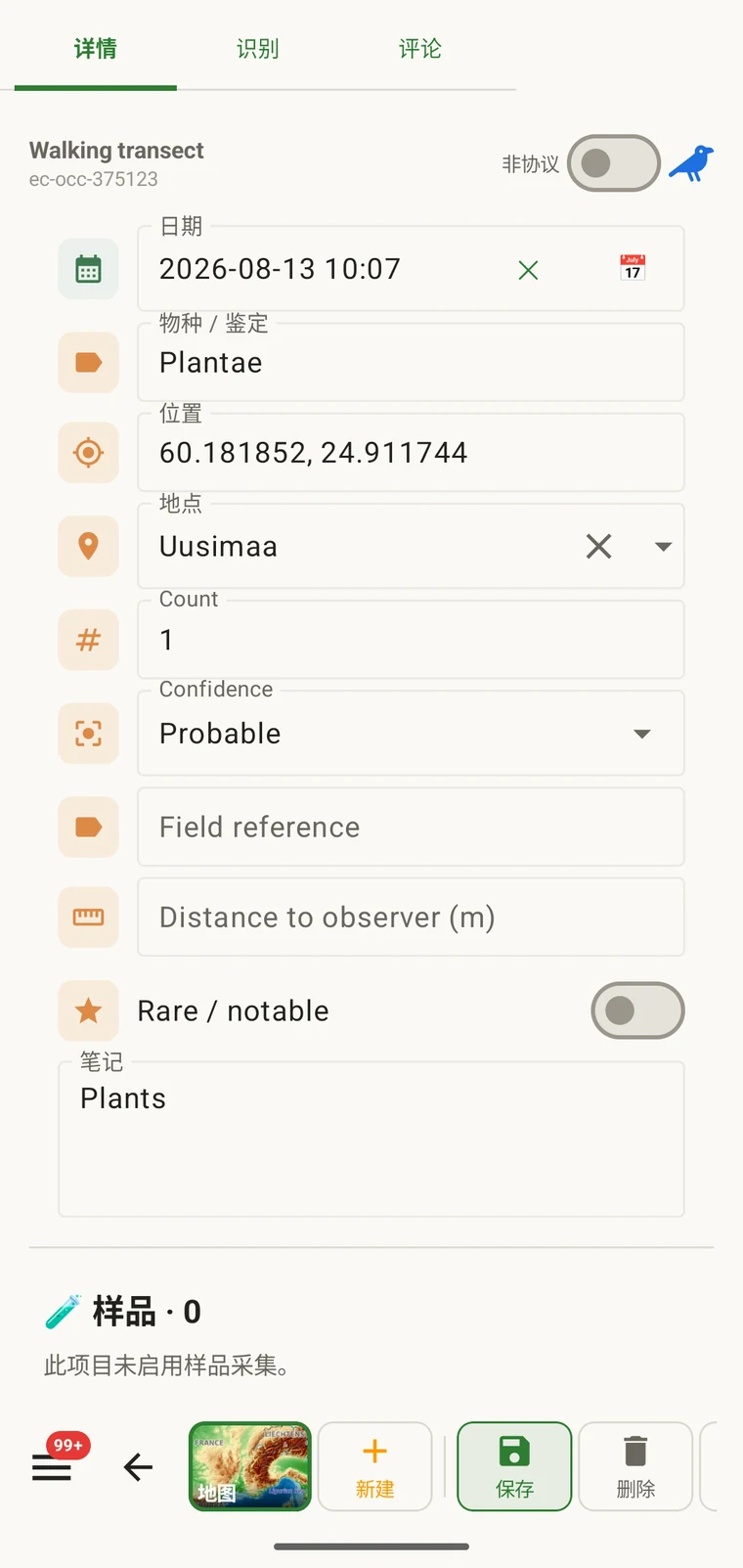
Seven survey protocols ship with the app: Casual / incidental, Site visit, Timed area search and Walking transect under "Other", and Vegetation — Braun-Blanquet, Vegetation — % cover and Vegetation — Drude relevé under "Vegetation". The project created on first run uses Casual / incidental. A project you create later has no protocol until you assign one; until then new records use the casual protocol's core fields.
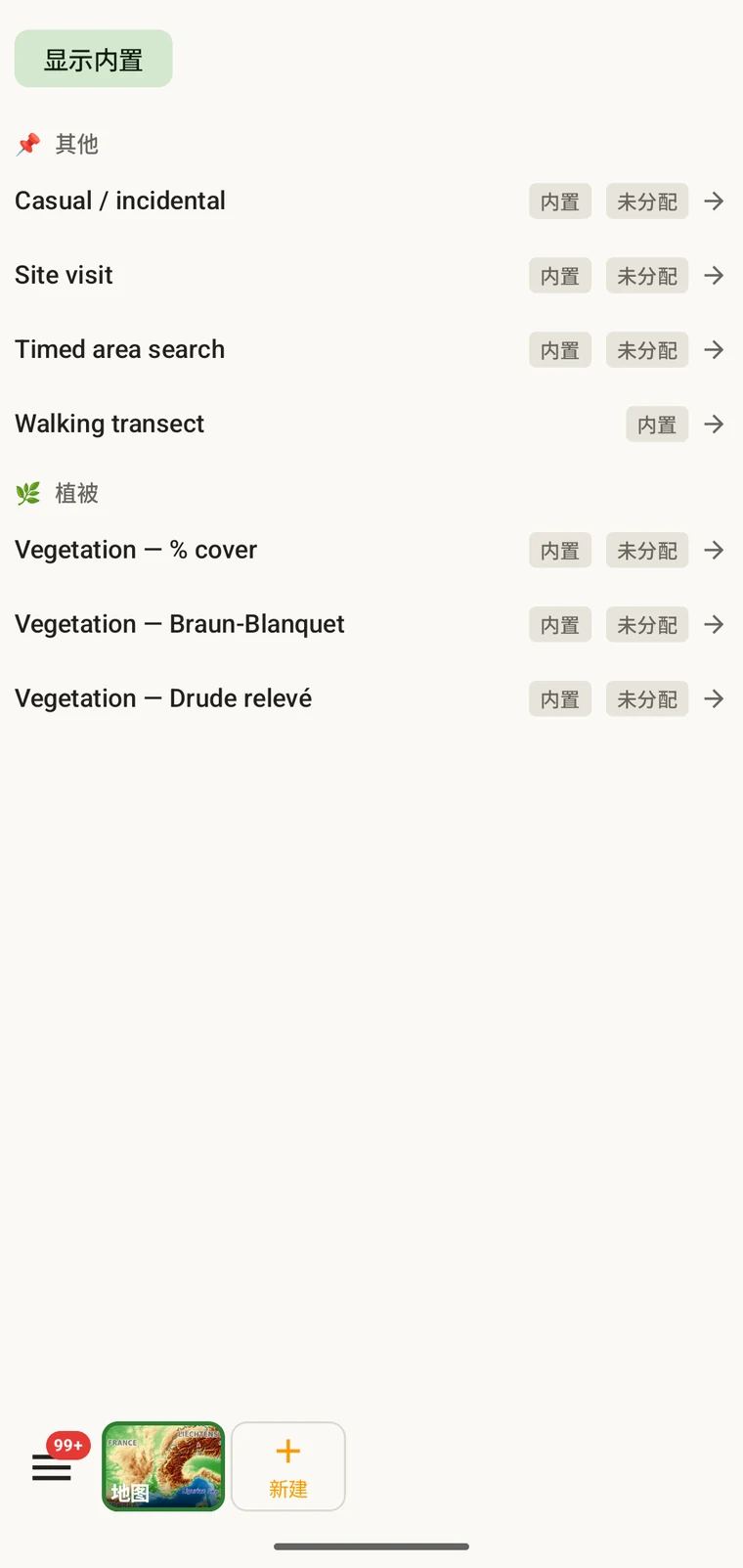
The list on the device is the best place to read each protocol: it shows the full description, the fields it includes and their settings. Open Menu → Protocols and tap a protocol to open it; the Information tab shows its description and settings, the Form builder and Custom fields tabs show its fields.
为项目选择协议
One project records under one protocol. Your first project starts with Casual / incidental; later projects start with no protocol and use core fields only. Assign the protocol when you know your method, before records are entered.
- Open Menu → Projects and tap the project.
- In the Survey protocol section tap Assign a protocol (or Change if one is assigned).
- Choose the protocol in the Choose a survey protocol list and tap Done. Assigning copies the protocol's full template — forms and custom fields — into the project.
- The observation form reflects the new protocol from the next record onward. Remove keeps your data and the core fields.
每个项目一个协议。项目由单一协议定义,因为在一个数据集中混用两种不同的字段结构会给分析带来困难。如果您的工作确实需要两种截然不同的方法,请建立两个项目,再一起导出。
编辑协议
The seven built-in protocols are read-only. To adapt one, open it in Menu → Protocols and tap Clone; the copy is a custom protocol you can rename and edit. The practical case is a method close to a standard one that adds two or three measurements: clone, rename, add the fields. That way you keep the structure you know and only change what is different about your method.
Editing a protocol does not alter records already entered. Those records retain the field values they were given at the time. Projects that already use the protocol keep their copy until you tap Push to assigned projects in the Protocols Studio; from then on new records in those projects use the updated definition. To change the layout for one project only, use Customize on the project form instead.
Naming your edited protocol. Give it a name that distinguishes it from the original so that anyone reading the exported data can identify which definition was in use. The protocol code travels with every export.
自己编写协议
The Protocols Studio (Menu → Protocols) is where custom protocols are created — tap New protocol and choose From scratch or Clone existing. A protocol has a name, code, description, group, required fields, effort thresholds and vocabulary sets, plus its own forms and custom fields on the Form builder and Custom fields tabs. The field-level work — captions, data types and whether a field appears in list views — is covered in Forms and custom fields.
协议只需复杂到方法所要求的程度。必填字段过多的协议会拖慢野外记录;没有必填字段的协议则可能产生一个日后才发现其残缺之处的数据集。
校验
Required fields are enforced when the record is entered, not discovered at export. Fields the protocol marks required are enforced when the record is saved: the form lists the missing ones and does not save until they are filled.
缺失的值可以在您还在样地时补上。等到几个月后导出生成时,就补不上了。校验每条记录只花几秒钟,却能避免事后无法填补的空缺。
未标为必填的字段可以留空。它们在导出中会显示为空白单元格,而不会引发错误。
季中更改协议
您可以在一个季节当中更改分配给项目的协议。已有记录保留录入时的取值;它们不会按新协议重新校验。只有更改之后录入的新记录,才受新协议的字段集和必填规则约束。
如果新协议包含旧协议所没有的字段,已有记录在导出中这些字段将为空。如果新协议去掉了旧协议中的字段,那些字段值仍保留在数据库中,但不会出现在新记录的表单里。
记录这次更改。把协议更改的日期记下来,可以写在项目描述里,也可以写在单独的野外记录文件中。把更改前后的记录合在一起分析时,需要考虑字段结构的差异。
共享协议
Protocol and form configuration travel together in the project setup file. Open the project, tap Share, and send the .ecsurvey file to each device; importing it (Menu → Projects → Import) gives that device the same protocol, forms and custom fields. Every recorder on the study then sees an identical form and records under the same required-field rules. Exporting the project to Google Drive also publishes the setup, which other devices receive with Download from Drive + merge…. See Forms and custom fields and Google Drive collaboration.