
Registrazione
Protocolli di rilevamento
Un protocollo definisce che cosa deve contenere un record: quali campi compaiono nel modulo dell'osservazione, quali di essi sono obbligatori, le unità e gli elenchi di valori e che cosa costituisce un'osservazione completa. Ogni record di un progetto è creato secondo un solo protocollo, che determina anche il modulo mostrato al rilevatore.
Che cosa controlla un protocollo
Il protocollo definisce la struttura che la registrazione produce. Cambiare il protocollo cambia con esso il modulo, ed è per questo che Moduli e campi personalizzati e questa pagina trattano argomenti collegati. La pagina sui moduli riguarda la disposizione e i controlli a livello di campo; questa pagina riguarda il protocollo che stabilisce quali campi esistono in partenza.
| Che cosa definisce il protocollo | Effetto sulla registrazione |
|---|---|
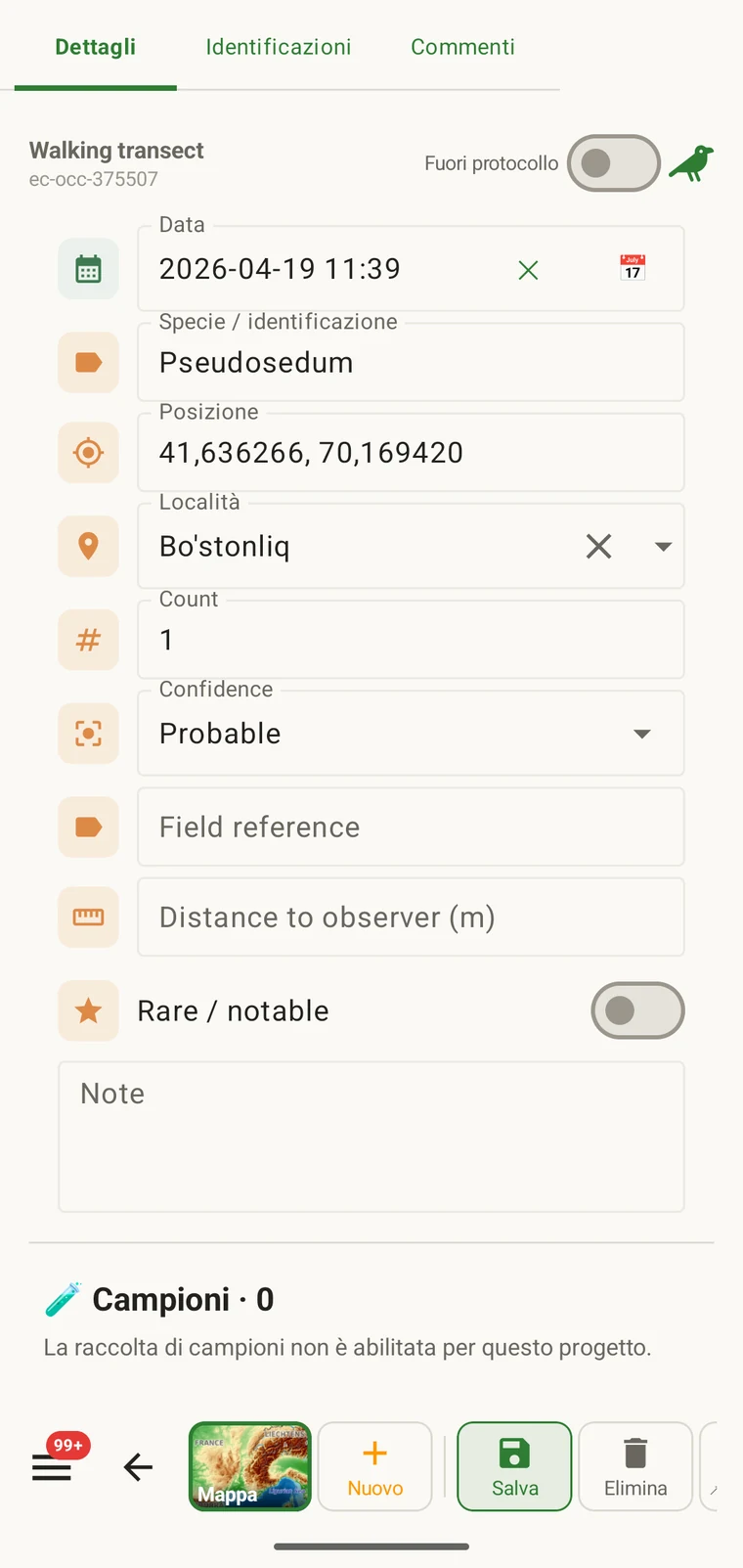
| Campi presentati | L'insieme dei campi dati che compaiono nel modulo dell'osservazione. I campi non inclusi nel protocollo non compaiono e non possono essere compilati. |
| Campi obbligatori | Quali campi devono essere compilati prima che il record possa essere salvato. La validazione avviene al momento dell'inserimento, non all'esportazione. |
| Unità ed elenchi di valori | Le unità associate ai campi numerici (metri, gradi, conteggi) e le opzioni fisse mostrate nei campi a scelta. Sono fisse per protocollo, così tutti i record di un progetto usano lo stesso vocabolario. |
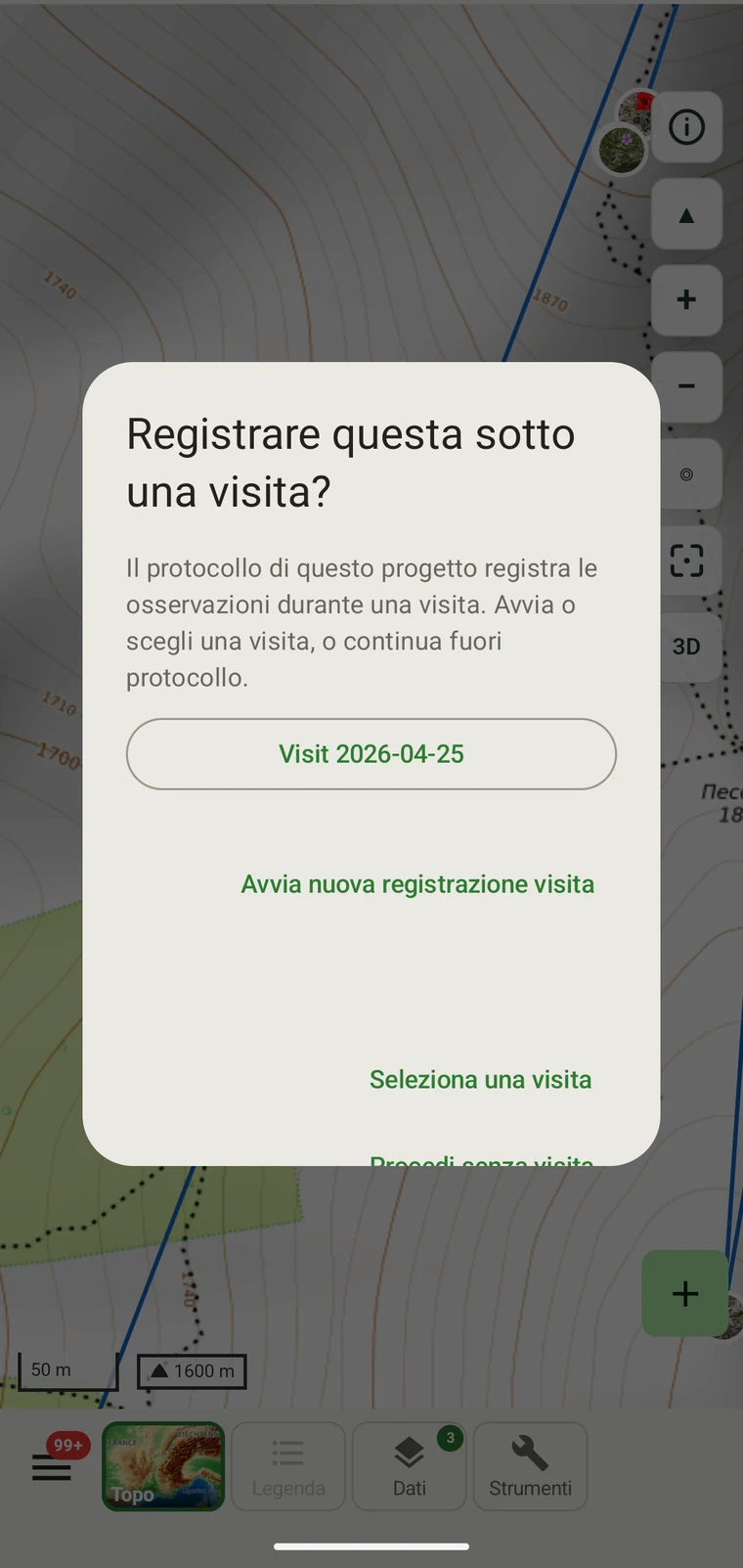
| Raggruppamento dei record | How observations are grouped: into survey visits, or left ungrouped as incidental records. The grouping structure determines what the visit prompt shows when you start recording. |
I protocolli inclusi
Seven survey protocols ship with the app: Casual / incidental, Site visit, Timed area search and Walking transect under "Other", and Vegetation — Braun-Blanquet, Vegetation — % cover and Vegetation — Drude relevé under "Vegetation". The project created on first run uses Casual / incidental. A project you create later has no protocol until you assign one; until then new records use the casual protocol's core fields.
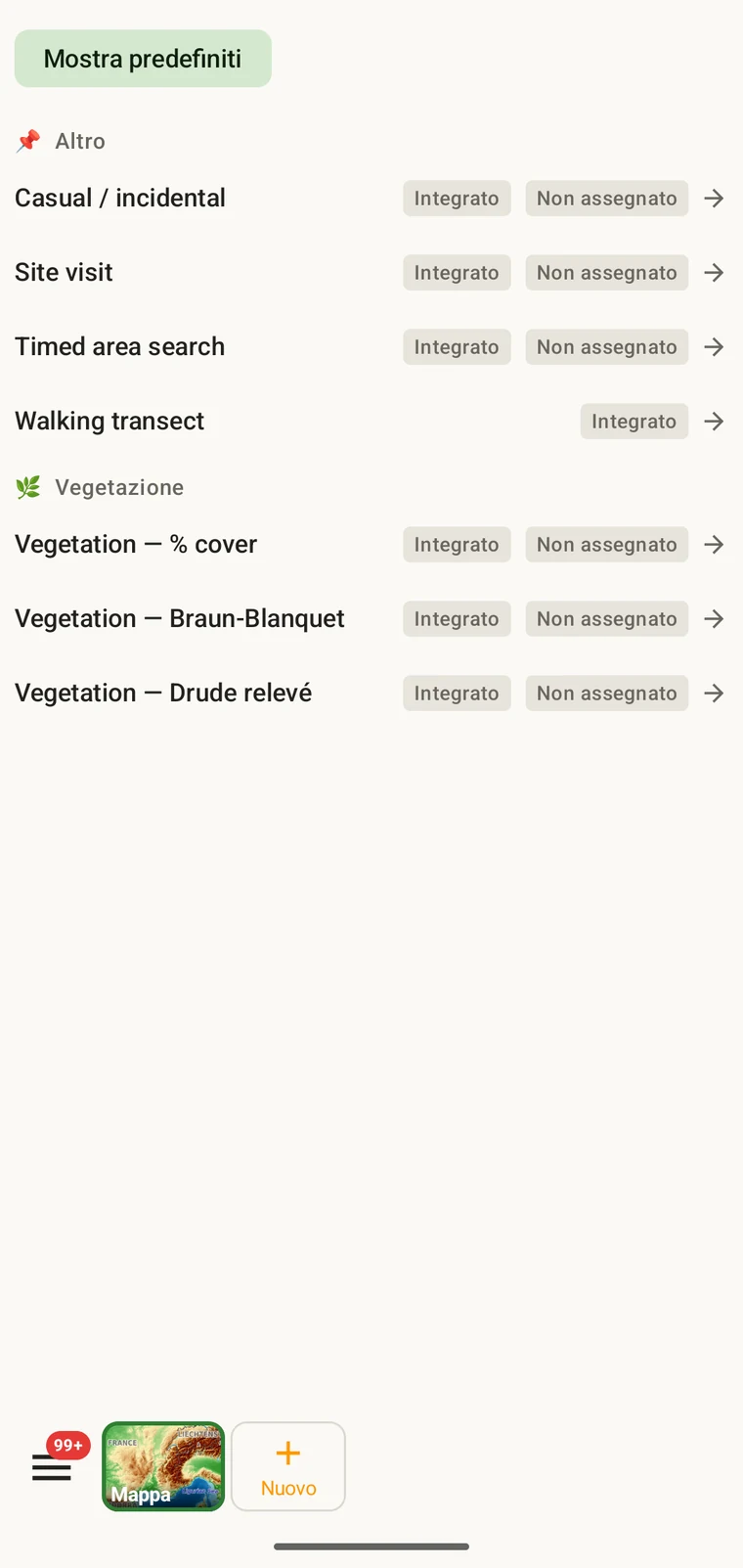
The list on the device is the best place to read each protocol: it shows the full description, the fields it includes and their settings. Open Menu → Protocols and tap a protocol to open it; the Information tab shows its description and settings, the Form builder and Custom fields tabs show its fields.
Scegliere il protocollo di un progetto
One project records under one protocol. Your first project starts with Casual / incidental; later projects start with no protocol and use core fields only. Assign the protocol when you know your method, before records are entered.
- Open Menu → Projects and tap the project.
- In the Survey protocol section tap Assign a protocol (or Change if one is assigned).
- Choose the protocol in the Choose a survey protocol list and tap Done. Assigning copies the protocol's full template — forms and custom fields — into the project.
- The observation form reflects the new protocol from the next record onward. Remove keeps your data and the core fields.
Un solo protocollo per progetto. Un progetto è definito da un unico protocollo, perché mescolare due strutture di campi diverse in un solo dataset rende difficile l'analisi. Se il lavoro richiede davvero due metodi distinti, creare due progetti ed esportarli insieme.
Modificare un protocollo
The seven built-in protocols are read-only. To adapt one, open it in Menu → Protocols and tap Clone; the copy is a custom protocol you can rename and edit. The practical case is a method close to a standard one that adds two or three measurements: clone, rename, add the fields. That way you keep the structure you know and only change what is different about your method.
Editing a protocol does not alter records already entered. Those records retain the field values they were given at the time. Projects that already use the protocol keep their copy until you tap Push to assigned projects in the Protocols Studio; from then on new records in those projects use the updated definition. To change the layout for one project only, use Customize on the project form instead.
Naming your edited protocol. Give it a name that distinguishes it from the original so that anyone reading the exported data can identify which definition was in use. The protocol code travels with every export.
Scrivere un protocollo proprio
The Protocols Studio (Menu → Protocols) is where custom protocols are created — tap New protocol and choose From scratch or Clone existing. A protocol has a name, code, description, group, required fields, effort thresholds and vocabulary sets, plus its own forms and custom fields on the Form builder and Custom fields tabs. The field-level work — captions, data types and whether a field appears in list views — is covered in Forms and custom fields.
Mantenere i protocolli semplici quanto il metodo richiede. Un protocollo con molti campi obbligatori rallenta la registrazione sul campo; un protocollo senza campi obbligatori produce un dataset che può risultare incompleto in modi che si scoprono solo più tardi.
Validazione
Required fields are enforced when the record is entered, not discovered at export. Fields the protocol marks required are enforced when the record is saved: the form lists the missing ones and does not save until they are filled.
Un valore mancante può essere fornito finché si è ancora sul sito. Quando l'esportazione viene prodotta mesi dopo, non è più possibile. La validazione costa pochi secondi per record e previene lacune che non si possono colmare in seguito.
I campi non contrassegnati come obbligatori possono essere lasciati vuoti. Compariranno nelle esportazioni come celle vuote, senza generare un errore.
Cambiare protocollo a stagione in corso
Il protocollo assegnato a un progetto si può cambiare nel corso di una stagione. I record esistenti mantengono i valori con cui sono stati inseriti; non sono rivalidati rispetto al nuovo protocollo. Solo i nuovi record, inseriti dopo il cambio, sono regolati dall'insieme di campi e dalle regole sui campi obbligatori del nuovo protocollo.
Se il nuovo protocollo include campi che il precedente non aveva, nelle esportazioni i record esistenti avranno quei campi vuoti. Se il nuovo protocollo omette campi presenti nel precedente, i valori di quei campi restano nel database ma non compariranno nel modulo dei nuovi record.
Documentare il cambio. Annotare la data in cui il protocollo è cambiato, nella descrizione del progetto o in un file separato di note di campo. Un'analisi che unisce record precedenti e successivi al cambio deve tenere conto delle diverse strutture di campi.
Condividere un protocollo
Protocol and form configuration travel together in the project setup file. Open the project, tap Share, and send the .ecsurvey file to each device; importing it (Menu → Projects → Import) gives that device the same protocol, forms and custom fields. Every recorder on the study then sees an identical form and records under the same required-field rules. Exporting the project to Google Drive also publishes the setup, which other devices receive with Download from Drive + merge…. See Forms and custom fields and Google Drive collaboration.