
整合
iNaturalist
連結您的 iNaturalist 帳號,在您正在記錄的專案中處理您自己的觀察。把它們匯入專案,也把您在 EarthCape 中所做的記錄送回 iNaturalist——由您挑選,在您決定的時候。
連結您的帳號
The connection is made from the Integrations screen under Menu → Admin → Integrations, which lists every external service the app can work with. You sign in with your existing iNaturalist credentials; EarthCape does not store your iNaturalist password.
- Open Menu → Admin → Integrations.
- Tap the iNaturalist row, then Connect.
- Sign in on the iNaturalist page that opens in your browser.
- 授權 EarthCape 存取您的觀察記錄。
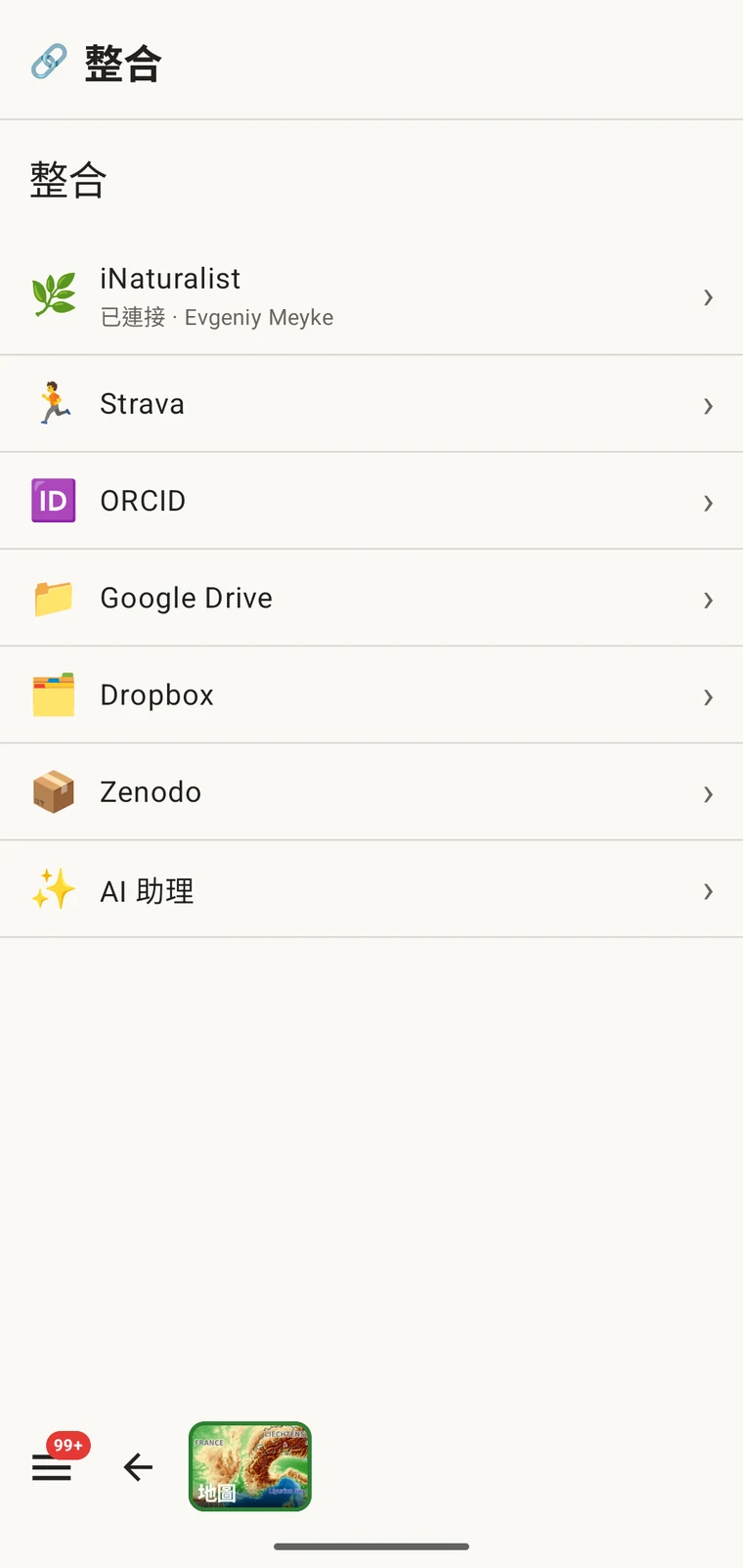
驗證。EarthCape 使用 OAuth 向 iNaturalist 進行驗證,與其他第三方 iNaturalist 用戶端所用的機制相同。您的密碼送到 iNaturalist,而不是送到 EarthCape。您隨時可以從 iNaturalist 帳號設定中撤銷授權,這與在本應用程式中移除連結是兩件獨立的事。
中樞
連結完成後,開啟 iNaturalist 那一列即可進入中樞:與 iNaturalist 相關的一切都從這個畫面進入。它會顯示已連結的帳號、有多少記錄連結到 iNaturalist 以及它們處於什麼狀態的摘要,還有三個分頁——同步、活動與近期——匯入功能就在它們旁邊。
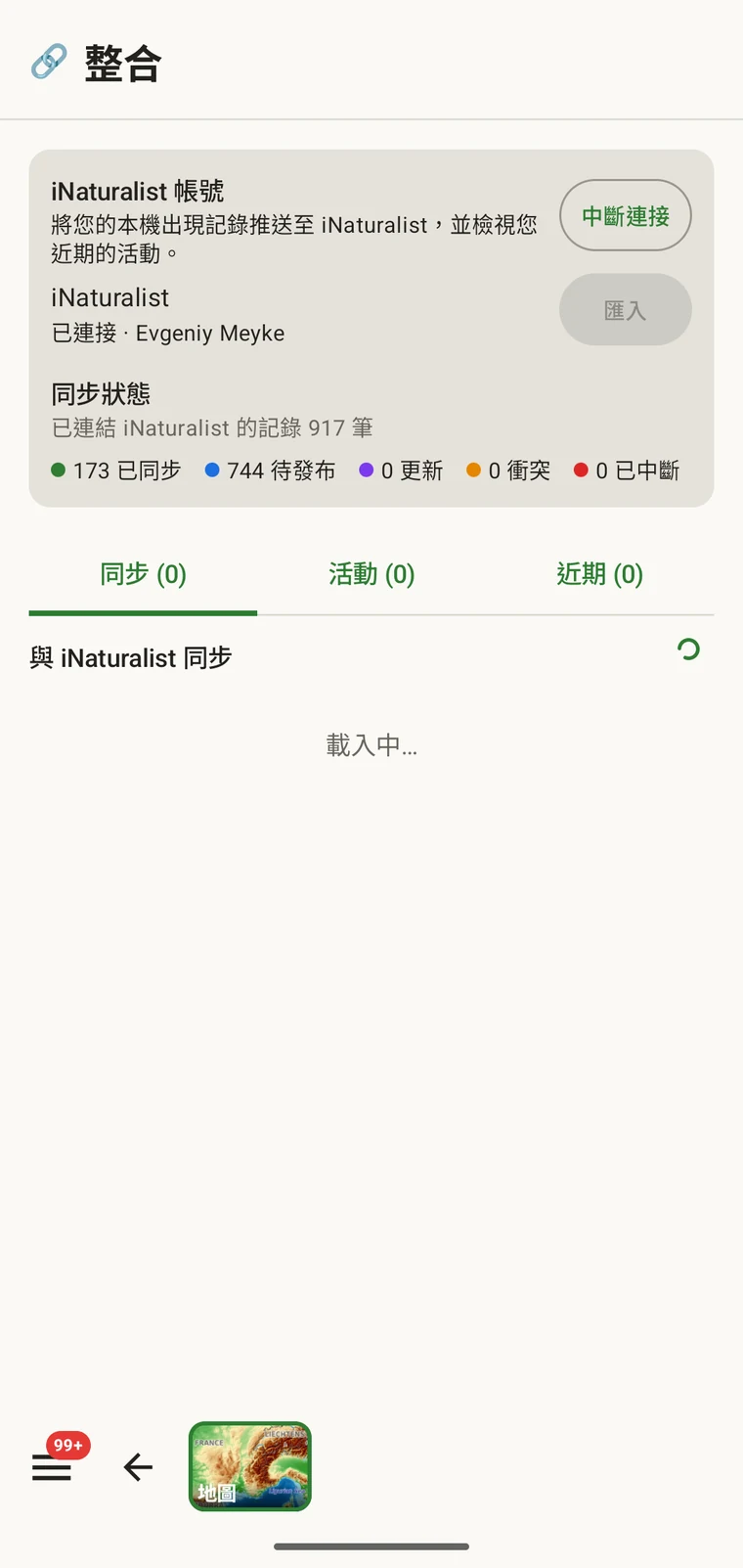
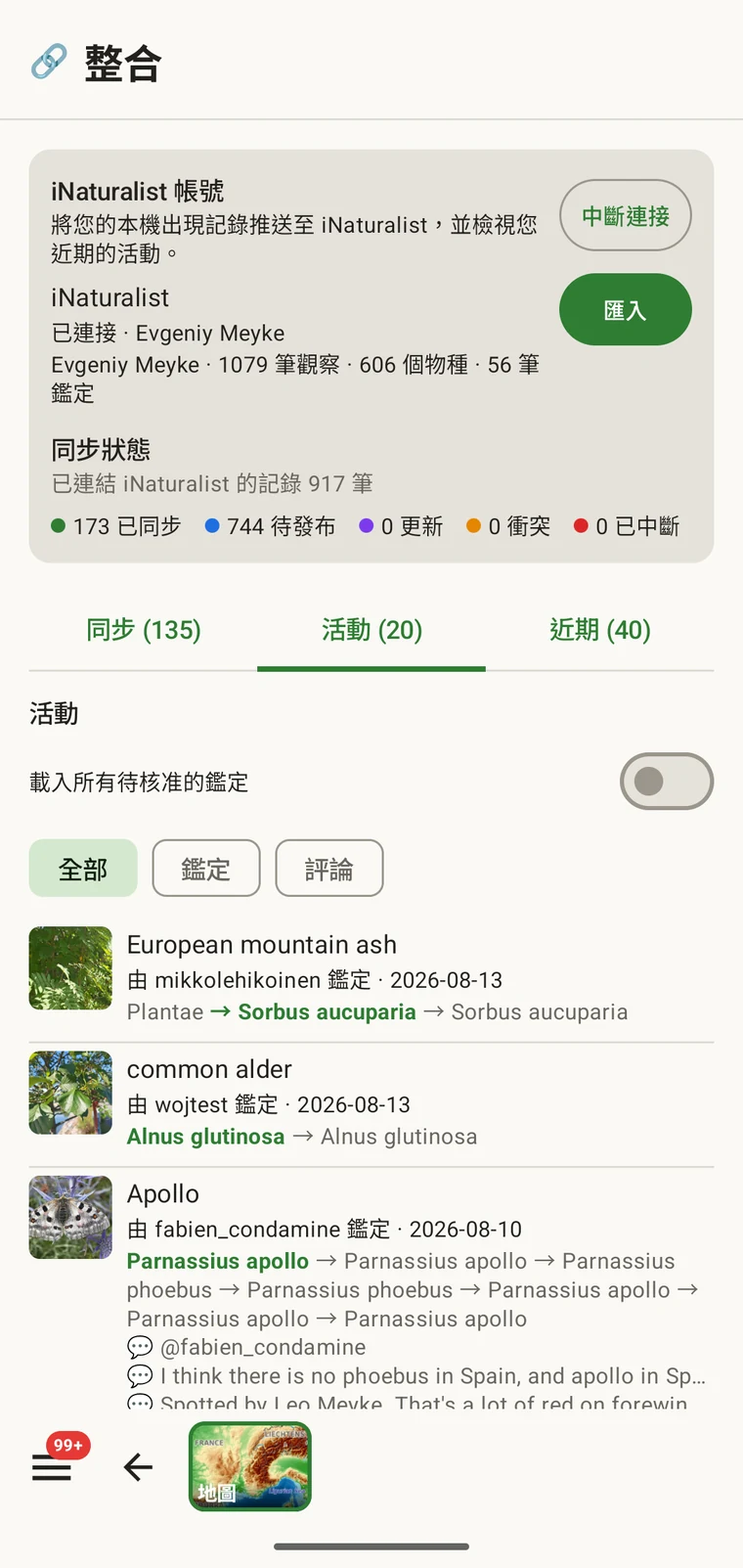
您的活動
The activity view shows your iNaturalist activity feed — the stream of events on your own observations and identifications. It is useful in the field because it lets you check notifications and recent identifications without leaving the recording app to open a browser. You can mark items seen and agree with an identification from the list.
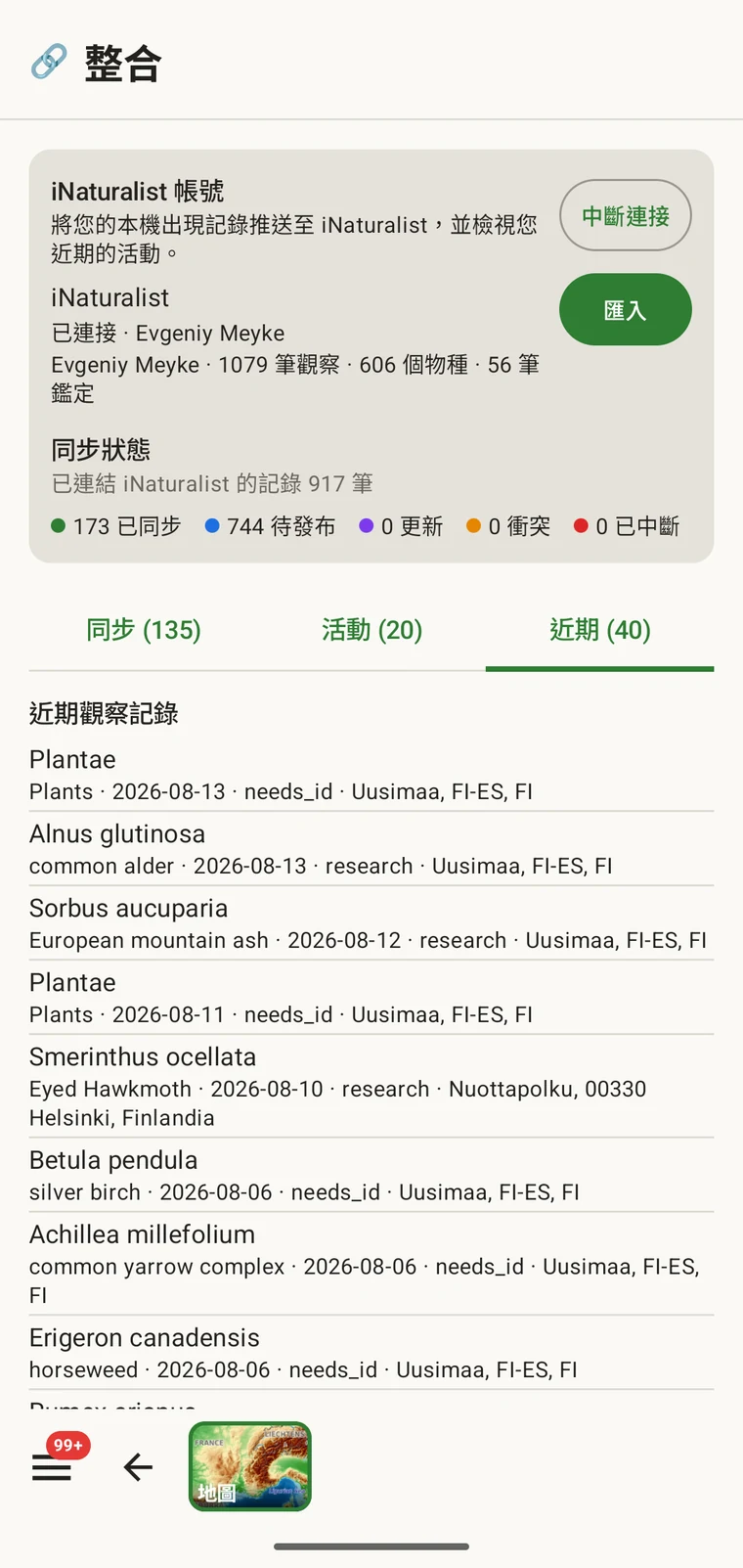
Recent observations and identifications
The recent view shows your own most recent iNaturalist observations and identifications, read from the iNaturalist API onto the device. This gives you a quick reference to what you have been recording on iNaturalist, alongside the records you are making in the current project.
將觀察記錄匯入專案
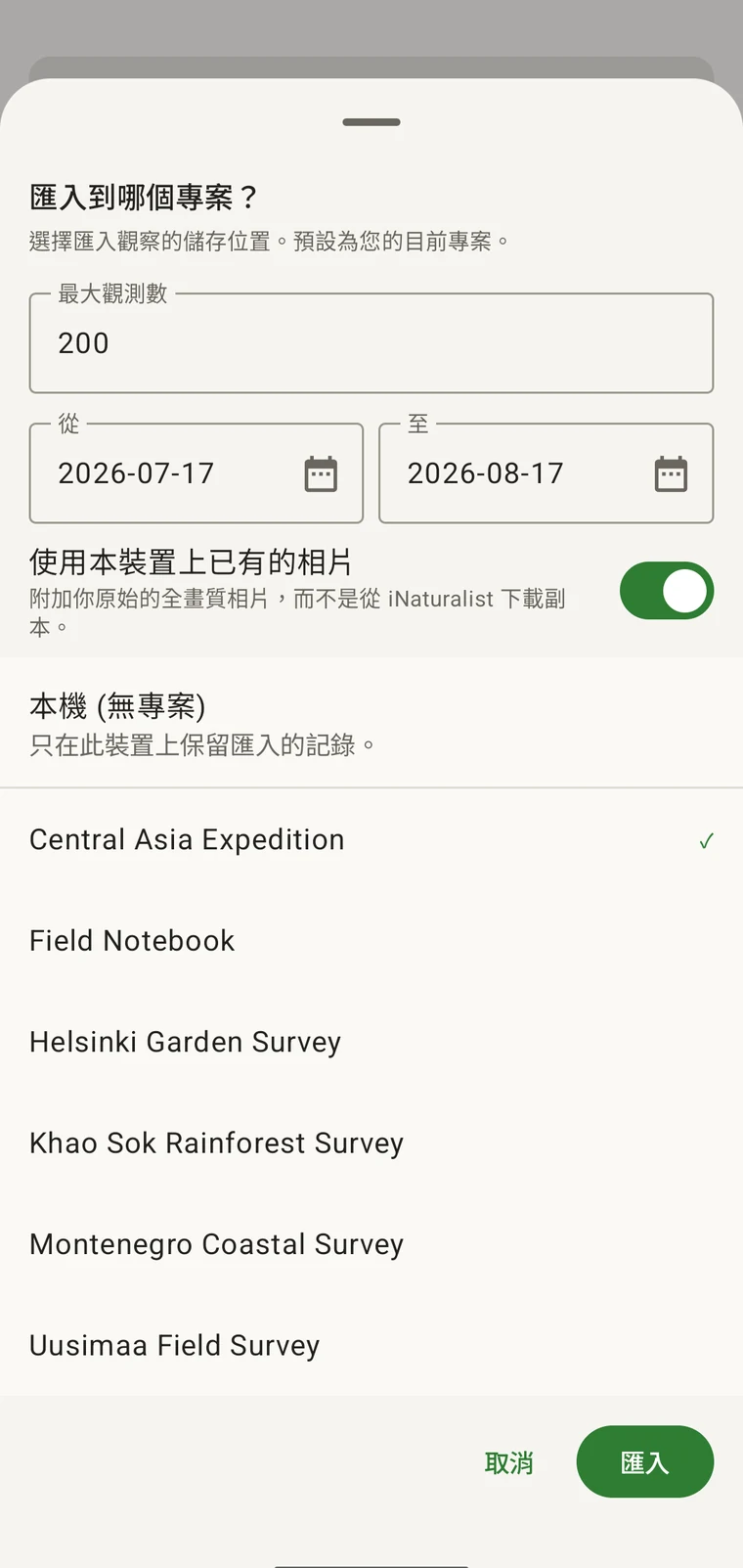
匯入會把您 iNaturalist 帳號中的觀察,以一般記錄的形式帶進某個 EarthCape 專案。由您選擇它們要落在哪個專案、擷取哪一段日期範圍,以及數量多少。分類群、日期、位置、備註與相片都從 iNaturalist 觀察保留下來。匯入之後,這些記錄就在裝置上了。
An iNaturalist record made at the same site on the same day belongs in the same dataset as the survey records. Without import, the two sets remain in separate systems and have to be reconciled later. After import, the iNaturalist records appear in the observations list (see Browsing your data), they appear on the map (see Map tools), and they leave in every export format (see Export formats).
- Open the iNaturalist hub from Menu → Admin → Integrations.
- 選擇匯入。
- 設定日期範圍,以及要帶進來的觀察記錄最大數量。
- 選擇相片來自本裝置,或從 iNaturalist 下載。
- Pick the project the records should go into (or Local (no project)), then confirm with Import.
| 欄位 | 匯入時保留的內容 |
|---|---|
| 分類群 | 來自 iNaturalist 觀察記錄的分類群名稱,並與裝置上的分類系統比對 |
| 日期 | iNaturalist 中記錄的觀察日期 |
| 位置 | 緯度與經度;在 iNaturalist 記有位置精度時一併帶上 |
| 備註 | 觀察的描述,保存為記錄的備註 |
| 地理隱私 | 公開、模糊或私密,依其在 iNaturalist 上記錄的原樣帶過來 |
| 相片 | 視該開關而定:可能是裝置上已有的全畫質原始檔,也可能是從 iNaturalist 下載的副本 |
| 調查方法表單 | 會附上專案的調查方法表單,凡是未在 iNaturalist 上記錄的欄位都留白 |
匯入之後會發生什麼
匯入的記錄與專案中其他任何記錄的行為相同。它們帶有專案的調查方法表單(請見調查方法),因此您可以開啟它們,填入原始 iNaturalist 觀察記錄中沒有的欄位。它們會與直接在應用程式中輸入的記錄一起出現在觀察記錄清單與地圖上,並包含在每一種匯出格式中,包括 Darwin Core Archive(請見匯出格式)。
匯入的記錄會保留一個指向其來源 iNaturalist 觀察的連結,正是它讓應用程式日後能告訴您兩者是否已經出現落差。沒有任何東西會自行移動:您在裝置上所做的編輯留在裝置上,在 iNaturalist 上所做的編輯留在 iNaturalist 上,直到您自己同步該筆記錄為止。
把記錄送到 iNaturalist
The Sync tab lists the records that can go to your iNaturalist account and the state each one is in. Nothing is uploaded on its own. You send one record with the Sync button beside it, or send the listed batch with Sync all (N). Either way you choose what goes.
送出的是分類群、日期、座標、地理隱私、備註與相片。先前未上過 iNaturalist 的記錄會在那裡新建;先前已送出過的則就地更新,因此再次同步同一筆記錄不會產生重複。
| 狀態 | 代表什麼 |
|---|---|
| 已同步 | 裝置上的副本與 iNaturalist 上的副本一致 |
| 在此處已變更 | 自上次同步以來,您在裝置上編輯過這筆記錄 |
| 在 iNaturalist 上已變更 | 自上次同步以來,該筆觀察記錄在 iNaturalist 上被編輯過 |
| Conflict — choose a side | 自上次同步以來兩份副本都有變更,因此應用程式會詢問要保留哪一邊 |
| 連結已中斷 | 已連結的觀察記錄在 iNaturalist 上已找不到 |
發生衝突時,該筆記錄會展開,顯示有差異的欄位——分類群、日期、座標、地理隱私與備註——每一項都附有我的或iNat的選擇。在您做出選擇並同步之前,兩邊都不會被寫入。
限制
這項整合處理的是您自己在已連結的 iNaturalist 帳號上的觀察,方向是雙向的:從中匯入,也把記錄同步回去。它不會瀏覽其他人在附近的 iNaturalist 觀察。
Importing and syncing both need a connection at the moment you do them. Everything already on the device stays available and fully usable offline (see Offline maps); records not yet synced are listed in the Sync tab and go only when you tap Sync with a connection.
如果您想要的是您樣點周邊區域已發布的出現記錄,涵蓋所有 iNaturalist 貢獻者與其他資料提供者,而不是您個人的觀察記錄,那是另一項功能:請見GBIF 鄰近物種。
隱私權
您登入的是自己的 iNaturalist 帳號;EarthCape 不會儲存您的密碼。您隨時可以從整合畫面移除連結,這會終止應用程式對您 iNaturalist 帳號的存取。已經匯入的觀察記錄會以一般記錄的形式留在裝置上;中斷連結時不會刪除它們。如果您想移除它們,請從觀察記錄清單中刪除。
匯入的記錄和其他任何專案記錄一樣存放在您的裝置上,受與您其餘資料相同的本機儲存與匯出控制。除非您同步,否則不會有任何內容送往 iNaturalist,而且要送出什麼由您逐筆決定。